Subsidy portal and automation
← All projectsSubsidy Portal

- ClientMister Subsidie
A portal where entrepreneurs follow their subsidy files, share documents and apply online. Behind the scenes, automations handle the paperwork: from e-signing to filing documents and keeping clients informed.
From form to portal
It started with a single secure online form for the Dutch SLIM subsidy: an application in six steps, with document upload and e-signing. The form put an end to emailing documents back and forth, but it remained a separate step in a larger process. Entrepreneurs wanted to know where their application stood, advisors tracked files in separate systems, and documents still found their way through email.
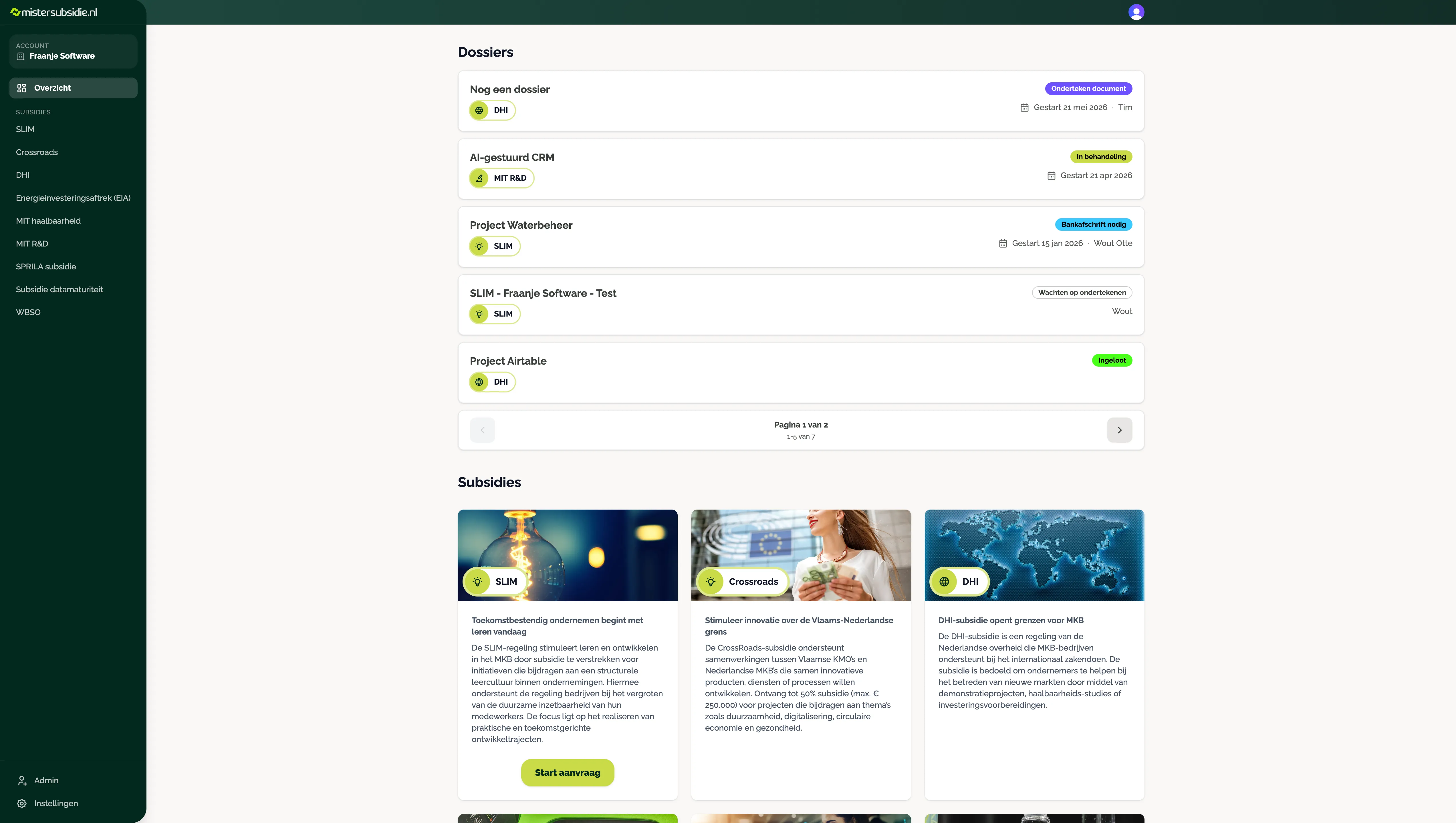
So the form grew into a full subsidy portal. Entrepreneurs log in, see all their files with the current status, share documents and start new applications. The consultancy manages subsidies, clients and files from its own back office. The original form lives on as the online intake, which can be switched on or off per subsidy.
One signature, four documents, all filed in the right place automatically.
The portal for entrepreneurs
- Log in with a code. No password to remember: a code by email is enough. Anyone working for several companies switches account with one click.
- Files with status and timeline. Every file shows its current status with an explanation, the contact person and a timeline to the interim and final invoice, including the amounts.
- Documents per file. Browse folders, view or download files directly and upload new documents with drag and drop.
- Online applications. Company details are pre-filled, every step is saved so an application can be continued on any device, and the SME classification is determined automatically.
The automations
Most of the work lies in what happens automatically. Tasks that used to be manual now run by themselves:
- Signing with one click. The system builds the signing request from the application itself: the right directors, the right template and the authorised representative’s details pre-filled. The signers receive the document by email.
- Automatic filing. Once everything is signed, the system splits the signed file into the separate documents: the de minimis declaration, the authorisation, the SME declaration and the service agreement, plus the signing audit trail. Each document gets a consistent name and lands in the folder of the right file.
- Clients kept informed automatically. When the status of a file changes, every user involved receives an email with the new status and an explanation. Never twice, only on a real change, and respecting anyone who opted out.
- Folders that look after themselves. Every file automatically gets its own document folder, with a separate folder for uploads and an internal folder the client doesn’t see. If a folder is moved or deleted, that is detected and repaired.
- Onboarding without manual work. Adding a new user creates their login right away and sends a welcome email in the consultancy’s own branding. Login codes arrive in that branding too.
- Working from Airtable. The team can keep working in Airtable: buttons there drive the portal, and the portal keeps Airtable up to date automatically. The portal’s database remains the source of truth, so what the client sees is always right.
A back office in their own hands
The consultancy runs the portal itself, without a developer. Subsidies get their own page with an image, icon and formatted description. Statuses can be defined freely, with a colour and an explanation for the client. Clients, users and files can be searched, filtered and archived, and a file can be shared with several companies, for example for a joint application.
Secure and reliable
A subsidy file contains sensitive business information. That is why clients only see their own files, internal documents stay hidden and downloads go through short-lived links. Every connection with an external service is verified before anything happens, and if something fails along the way, it is retried or cleanly rolled back.
The portal supports several brands from one codebase, each with its own branding and signing templates. Hundreds of automated tests guard the backend: without a green light, no new version goes live.
Stack
Built with
- ReactFrontend
- Azure FunctionsAPI
- PostgreSQLDatabase
- SignWellE-signing
- Microsoft GraphDocument storage
- PostmarkEmail
- AirtableBack office